Table of Contents
Quick answer: Affiliate analytics tracking means collecting transaction-level data from your affiliate programs and connecting it to your traffic sources so you can see exactly which campaigns, pages, and links produce revenue. Without it, you are guessing where to spend your time.
Key takeaways
- Traffic volume tells you almost nothing. Revenue per traffic source, spender conversion rate, and lifetime value by cohort are the 3 metrics that predict affiliate income growth.
- Tracker tags on every affiliate link let you attribute revenue to specific campaigns. My tracker format (source_page_position) takes 5 seconds to set up and saves hours of guessing.
- Chaturbate CSV exports contain every transaction with user ID, amount, tracker, and date. Without a tool to parse that data, the file is useless past 10,000 rows.
- Free tools like CB-Stats, Google Analytics, and Search Console cover 90% of what cam affiliates need. Paid click trackers only make sense above $5,000/month in revenue.
- The gap between a $1,000/month affiliate and a $10,000/month affiliate is almost always tracking and optimization, not traffic volume.
Jump to a section
Affiliate conversion tracking: measure every step from click to spender
A practical guide to affiliate conversion tracking covering funnel setup for cam affiliates, the two conversion rates that matter, cross-platform tracking, and tracker parameter strategies that show you where revenue actually comes from.
2Affiliate revenue forecasting: predict your earnings before they happen
A practical guide to affiliate revenue forecasting covering 3 models that work for cam affiliates, how to adjust for seasonality, building a monthly projection spreadsheet, and the common mistakes that make forecasts useless.
3Affiliate cohort analysis: how I use monthly cohorts to predict cam site revenue
A practical walkthrough of cohort analysis for cam site affiliates. How to group spenders by signup month, measure retention, calculate LTV, and compare traffic source quality using real data from 8M+ transactions.
4Affiliate A/B testing landing pages: what actually moves conversion rates
Practical A/B testing for affiliate landing pages. How to set up tests cheaply, what page elements to test first, when results are statistically significant, and the tests that actually improved my conversion rates.
5Affiliate ROI calculation: the real numbers behind cam site campaign profitability
A complete framework for calculating affiliate campaign ROI with real cost data. Covers true cost accounting, ROI by traffic source, when negative short-term ROI is acceptable, and how to allocate budget based on returns.
6Affiliate reporting dashboards: from spreadsheet chaos to actual insights
A practical comparison of affiliate reporting approaches: native platform dashboards, custom spreadsheets, and purpose-built tools like CB-Stats. Which views actually matter, what each approach misses, and how to stop wasting time on manual reporting.
Why affiliate tracking matters more than traffic volume
DataReal numbers from my tracking data
My top 5 pages by traffic are not my top 5 pages by revenue. Page #1 by traffic (a general guide with 8,400 monthly visits) earns $340/month in commission. Page #7 by traffic (a comparison review with 1,900 monthly visits) earns $1,100/month. Revenue per visitor on the comparison page is 12x higher. I would never have known this without tracker-level analytics.
Essential metrics every affiliate should track
| Metric | What it tells you | How to calculate |
|---|---|---|
| Revenue per click (RPC) | The dollar value of each click on your affiliate links | Total commission / total affiliate link clicks |
| Spender conversion rate | What % of referred signups actually spend money | Unique spenders / total signups x 100 |
| Avg revenue per spender (ARPS) | How much each active spender generates in commission | Monthly commission / active spenders |
| Spender lifetime value (LTV) | Total commission a referred spender generates before churning | ARPS x avg months active |
| Monthly churn rate | What % of active spenders stop spending each month | Spenders lost this month / active spenders last month x 100 |
| Revenue by tracker | Which campaigns and pages produce the most commission | Sum commission grouped by tracker tag |
| New spender acquisition rate | How many first-time spenders you gain each month | Count of users with first transaction this month |
| Whale concentration | How dependent your revenue is on top spenders | Top 10 spenders commission / total commission x 100 |
Setting up tracking for cam site affiliates
Create a tracker naming convention
Before you generate a single link, decide on a format. I use source_page_position. Examples: seo_compare-cb_cta1, reddit_ama_comment, email_weekly_banner. Keep it consistent because you will query these strings later.
Generate tracked affiliate links
In your Chaturbate affiliate panel, add the tracker parameter to each link. The URL format is chaturbate.com/in/?track=YOUR_TRACKER&tour=YOUR_TOUR&campaign=YOUR_CAMPAIGN. The track parameter is what appears in your CSV data.
Set up CSV data exports
Chaturbate lets you download a daily CSV with every transaction. The file contains columns for user_id, amount, commission, date, country, and tracker. Set up automated downloads through the API or download manually on a weekly schedule.
Import CSV data into an analytics tool
Connect your CSV feed to CB-Stats. The import process takes under 2 minutes and once connected, your data syncs automatically. CB-Stats parses the tracker column and builds revenue breakdowns by campaign without any manual work.
Build your first tracker report
Once the data is imported, open the dashboard and look at revenue by tracker. Sort by total commission descending. You will immediately see which campaigns carry your business and which ones waste your effort.
Tracker tags and campaign attribution
How tracker attribution works
Tracker naming best practices
- Keep tags under 30 characters. Long tags get truncated in some CSV exports.
- Use underscores to separate segments, never spaces or special characters.
- Include the traffic source (seo, reddit, twitter, email, paid) as the first segment for easy filtering.
- Include the page or content identifier as the second segment (compare-cb, review-sc, guide-tokens).
- Include the link position as the third segment (cta1, sidebar, header, footer, inline3).
- Document your tags in a spreadsheet. After 50+ tags, you will forget what "tw_thr_b3" meant 8 months ago.
Multi-touch attribution limits
From raw data to actionable insights
Common analysis patterns
- Tracker ROI ranking: sort trackers by revenue descending. Your top 5 trackers probably generate 60-70% of total commission. Focus there first.
- New spender source analysis: which trackers brought the most first-time spenders this month? High acquisition trackers deserve more traffic investment.
- Cohort retention curves: group spenders by their first transaction month and measure what % are still active 3, 6, 12 months later. Declining curves mean your traffic quality is dropping. See the cohort analysis guide for the full methodology.
- Revenue forecasting: use your historical revenue data and growth rate to project future months. The revenue forecasting guide covers the math.
- Whale dependency check: calculate what % of your revenue comes from your top 10 spenders. Above 30% means you are vulnerable to churn from a single user.
Free vs paid analytics tools compared
| Tool | Type | Cost | Best for | Limitations |
|---|---|---|---|---|
| CB-Stats | Revenue analytics | Free | Chaturbate CSV analysis, tracker reports, spender cohorts, whale tracking | Chaturbate-focused (Stripchat coming soon) |
| Google Analytics 4 | Traffic analytics | Free | Page traffic, user behavior, traffic source breakdown | No affiliate revenue data integration |
| Google Search Console | SEO analytics | Free | Keyword rankings, click-through rates, indexing status | No conversion or revenue data |
| Voluum | Click tracker | $199/month | Click routing, A/B testing, multi-offer funnels | Expensive for smaller affiliates |
| BeMob | Click tracker | $0-$49/month | Budget-friendly click tracking, basic split testing | Limited features on free tier |
| Spreadsheets | Manual analysis | Free | Custom calculations, one-off analysis | Does not scale past 50,000 rows |
How CB-Stats fills the tracking gap
- Revenue by tracker tag: see which campaigns, pages, and link positions generate the most commission. Sort by revenue, new spenders, or spender count.
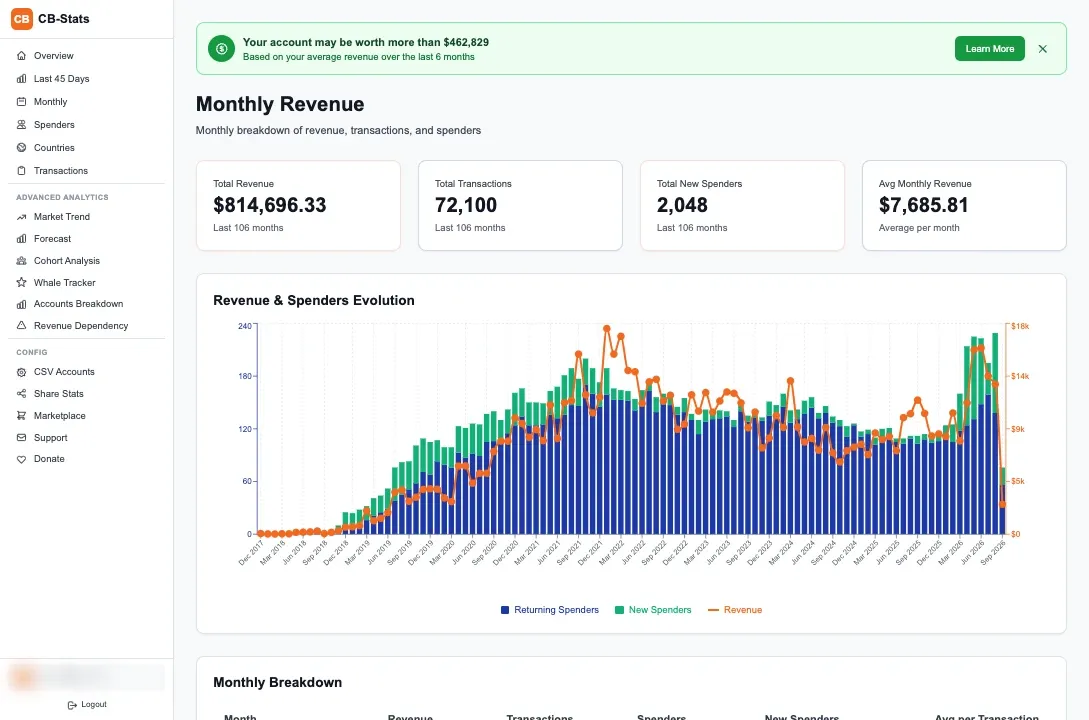
- Spender cohort analysis: group referred users by their first transaction month and track retention over 12+ months. Identifies whether your traffic quality is improving or declining.
- Whale tracking: identifies your top spenders by total commission, flags when they go inactive, and shows which tracker brought them in.
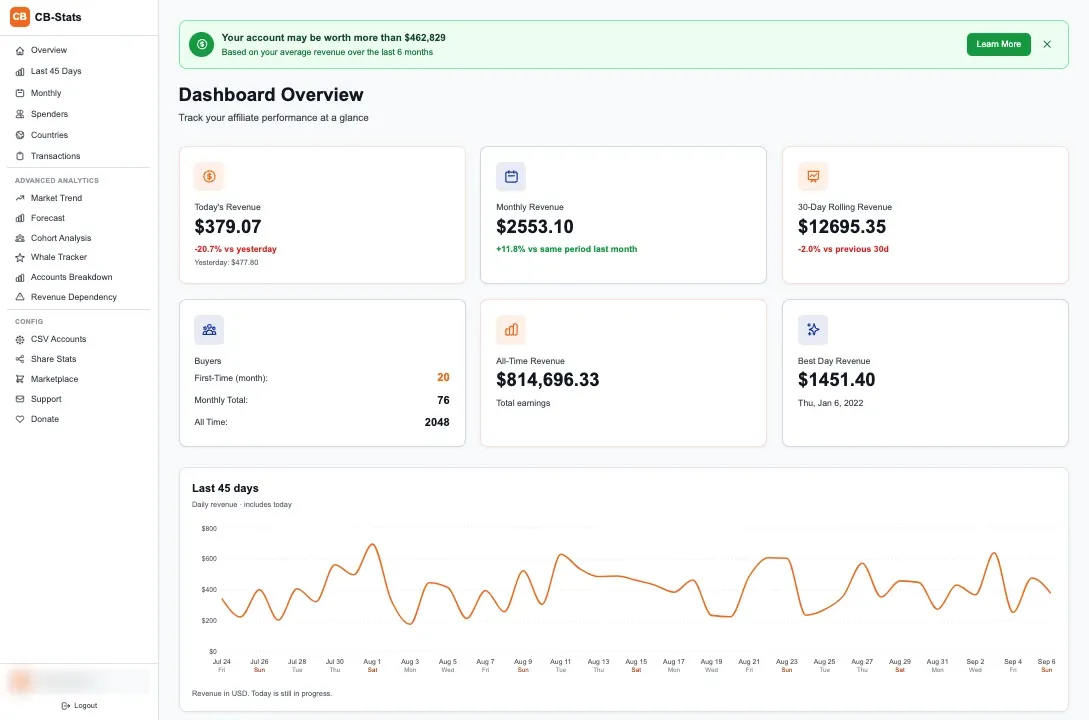
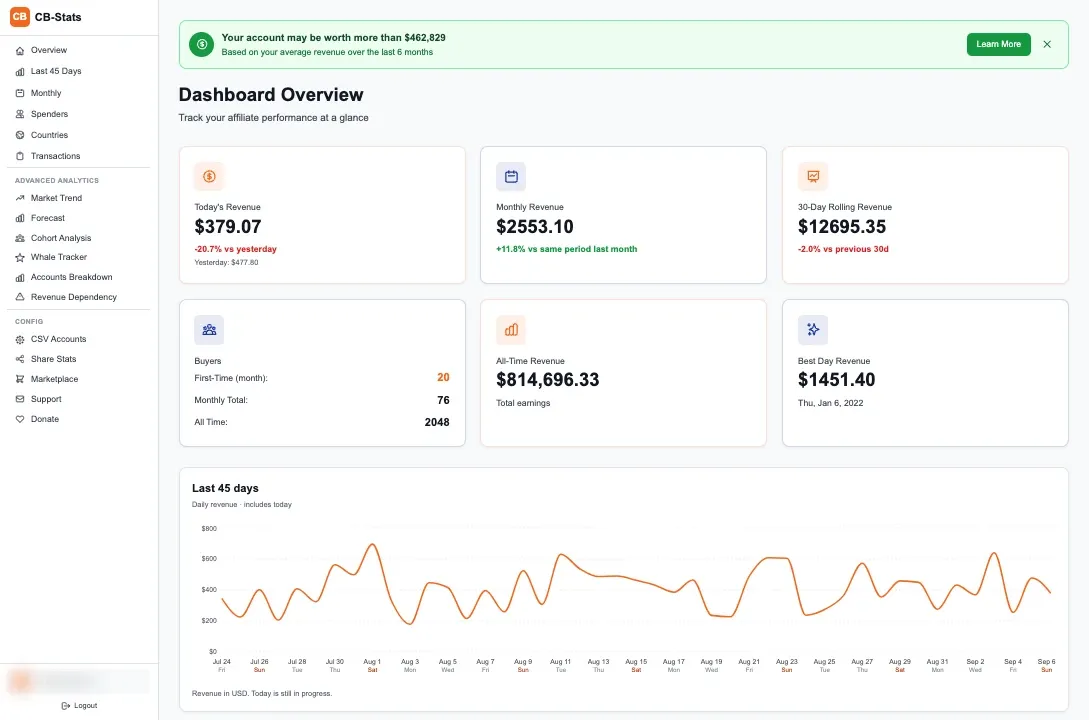
- 45-day revenue trends: daily revenue chart with rolling averages so you can spot trends before they show up in monthly totals.
- New spender acquisition: tracks how many first-time buyers you gain each day, broken down by source.
- Accounts breakdown: if you run multiple CSV accounts (common for multi-platform affiliates), see revenue split across accounts.
Frequently Asked Questions
What is affiliate analytics tracking?
Affiliate analytics tracking is the process of collecting and analyzing transaction-level data from your affiliate programs to understand which traffic sources, campaigns, and content pieces generate revenue. It goes beyond checking your total earnings to answer questions like: which tracker tag produced my highest-value spenders? What is my spender conversion rate by traffic source? How does my cohort retention compare month over month?
How do I track affiliate conversions without paying for software?
Use the tracker parameter built into your affiliate program (Chaturbate and most cam sites include this for free), download your CSV transaction data, and import it into CB-Stats for analysis. Combine that with Google Analytics for traffic data and Search Console for SEO performance. This free stack covers spender attribution, revenue trends, cohort analysis, and traffic optimization.
What metrics should affiliate marketers track?
The 8 most important affiliate metrics are: revenue per click, spender conversion rate, average revenue per spender, spender lifetime value, monthly churn rate, revenue by tracker tag, new spender acquisition rate, and whale concentration percentage. Revenue by tracker is the most actionable because it directly tells you which campaigns to invest in and which to cut.
How often should I check my affiliate analytics?
I check high-level numbers (daily revenue, new spenders) every morning in about 2 minutes. Once per week on Monday, I do a deeper review of tracker performance, whale status, and cohort trends, which takes about 8-10 minutes. Monthly, I do a full analysis including revenue forecasting and ROI calculations on each traffic source, which takes about 30 minutes.
Do I need a click tracker like Voluum for cam affiliate marketing?
Not until you are earning $5,000+/month and actively split testing landing pages. Free tools like CB-Stats for revenue analytics and Google Analytics for traffic data cover what most cam affiliates need. Paid click trackers add value when you need click-level routing, real-time split testing, or multi-offer funnel optimization. Below that revenue level, the $199/month cost does not justify the incremental improvement.