The CB Stats dashboard
Advanced Analytics for Chaturbate Affiliates
Your earnings tell a bigger story.
Track your revenue, analyze top spenders and understand retention with your Chaturbate affiliate CSV. See how each source and cohort develops over time.
Free to use. Built for Chaturbate affiliates.
Revenue, at every scale
Complete Revenue Dashboard
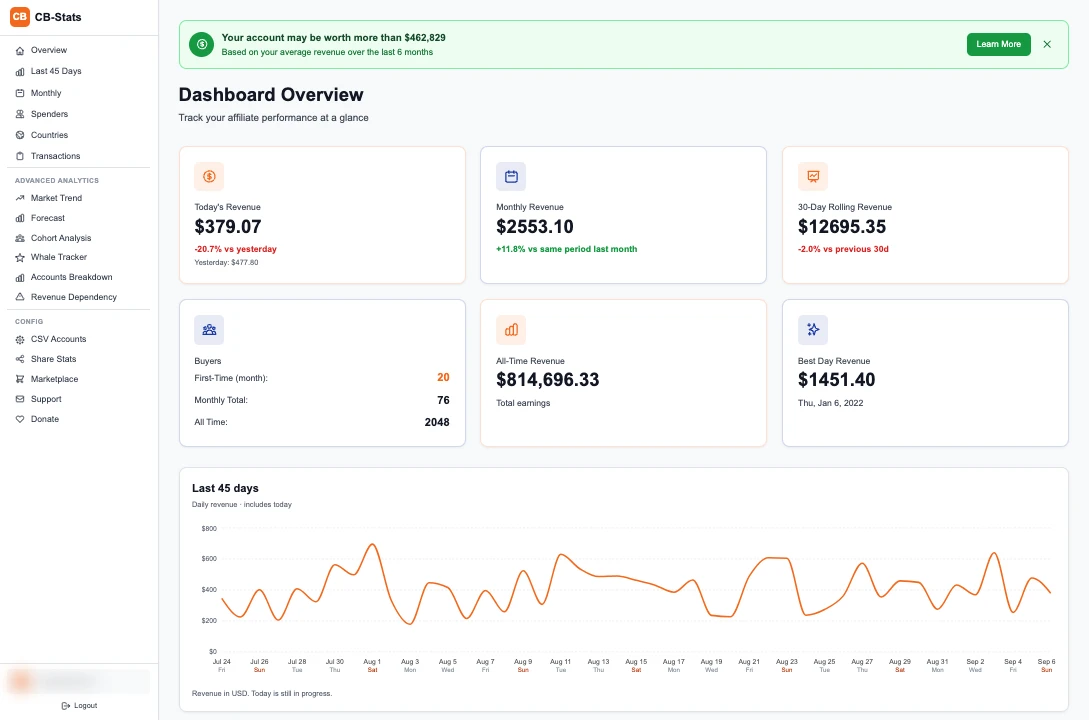
Get a complete overview of your earnings with daily, monthly and all-time statistics. Follow the changes behind those totals with your imported transaction history.
Track Every Dollar
- Daily detail. A 45-day revenue chart, daily drilldowns and new-spender activity.
- A wider perspective. Compare 45-, 90- and 180-day averages.
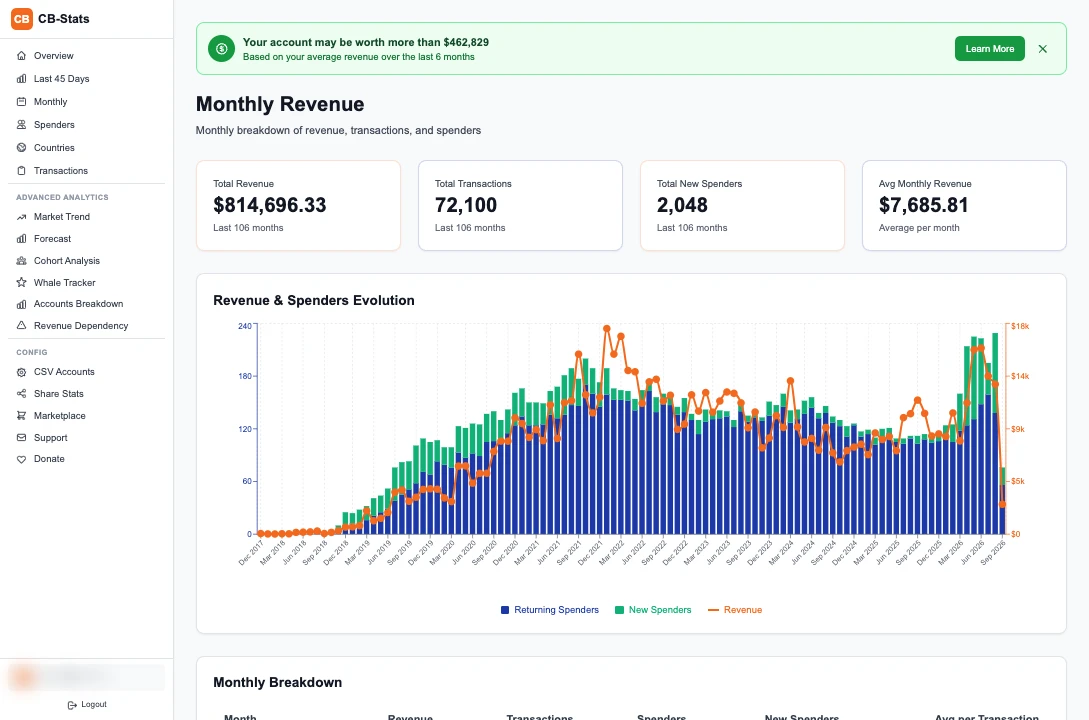
- Month by month. Follow revenue and spender counts across your imported history.
Spenders & whales
Identify Your VIP Spenders
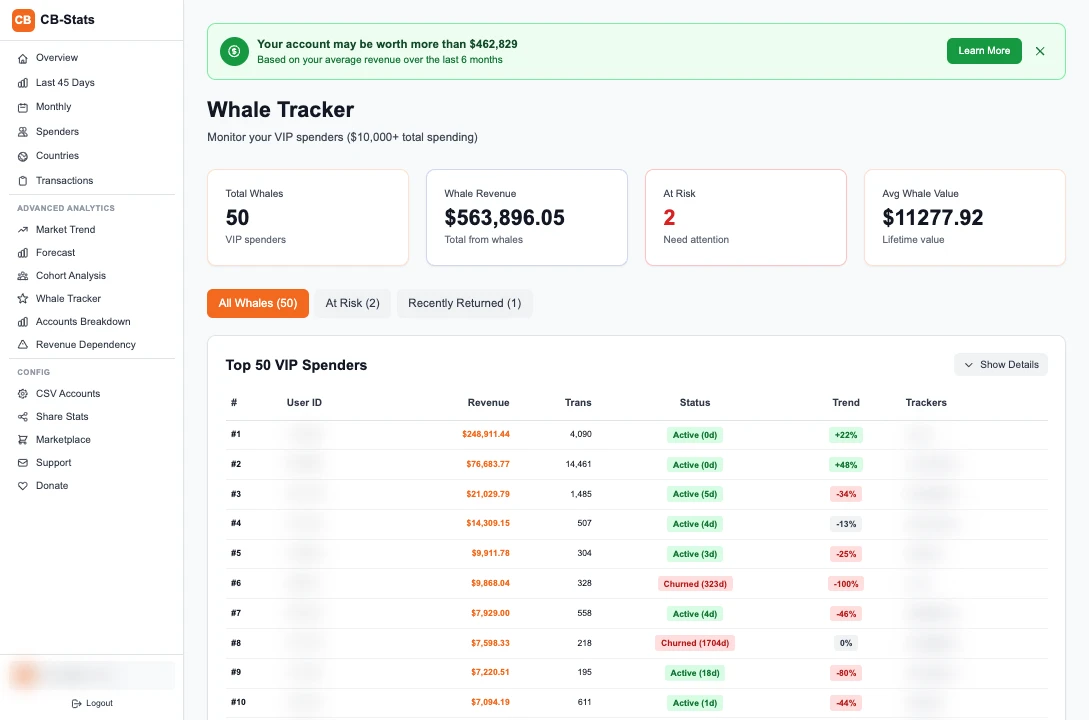
Explore spender rankings, lifetime totals, transaction counts and activity trends. Open a spender’s activity heatmap to see their pattern over time.
Track Your VIP Spenders
The Whales view focuses on your biggest spenders: active, at risk, in danger or churned. Compare six-month activity and spot recent returns.
Retention & lifetime value
Understand Spender Retention
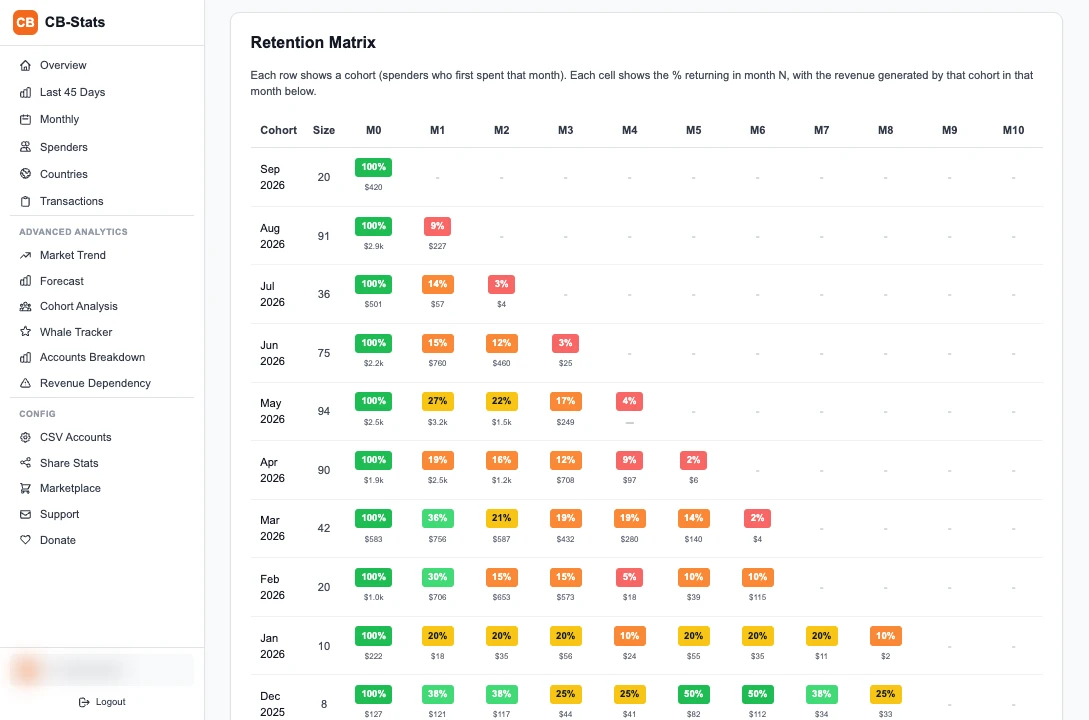
Group spenders by the month they first spent. See how many return, how revenue accumulates and how different cohorts compare.
Follow retention
Read the matrix and retention curves, with account and year filters.
Compare lifetime value
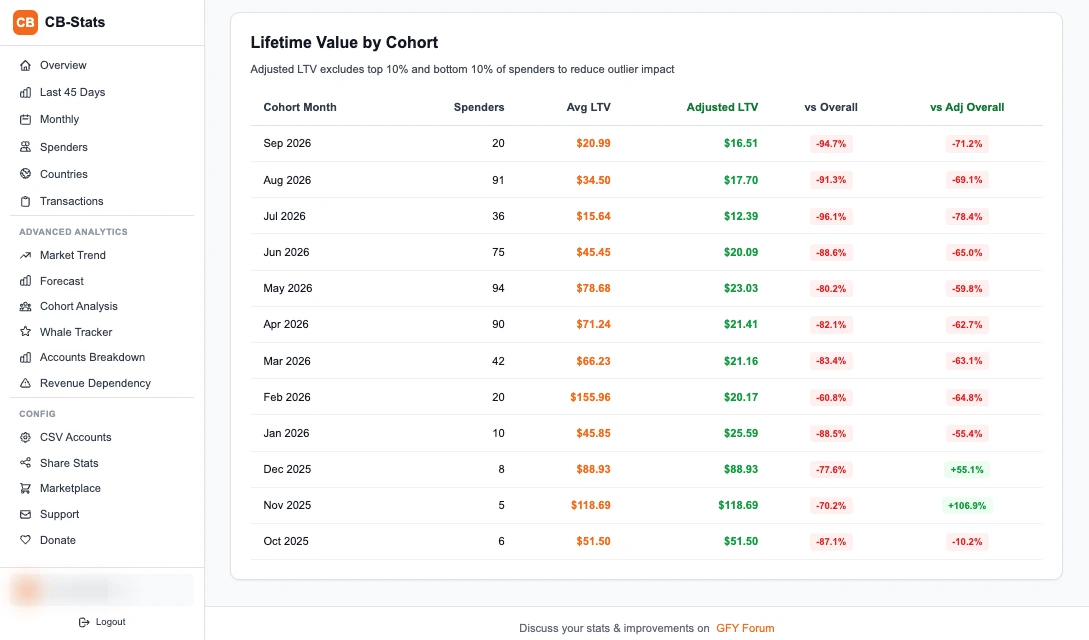
Explore average LTV and an adjusted view that reduces the influence of spending outliers.
Explore in 3D
Rotate the dashboard’s cohort view and switch between revenue and unique spenders.
Forecasts & market context
Advanced Analytics for Serious Affiliates
Explore revenue estimates alongside market trends built from accounts tracked by CB Stats.
Explore the forecast
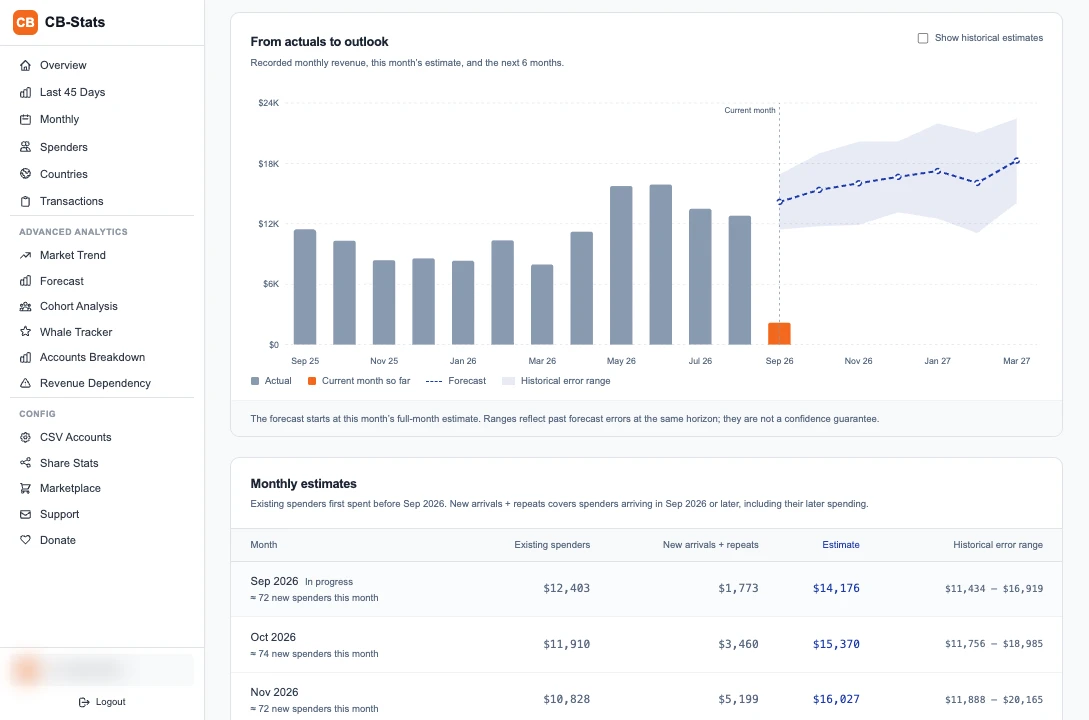
Review estimates, top-spender scenarios and backtests. The ranges help you assess uncertainty; future earnings are not guaranteed.
Understand the Market
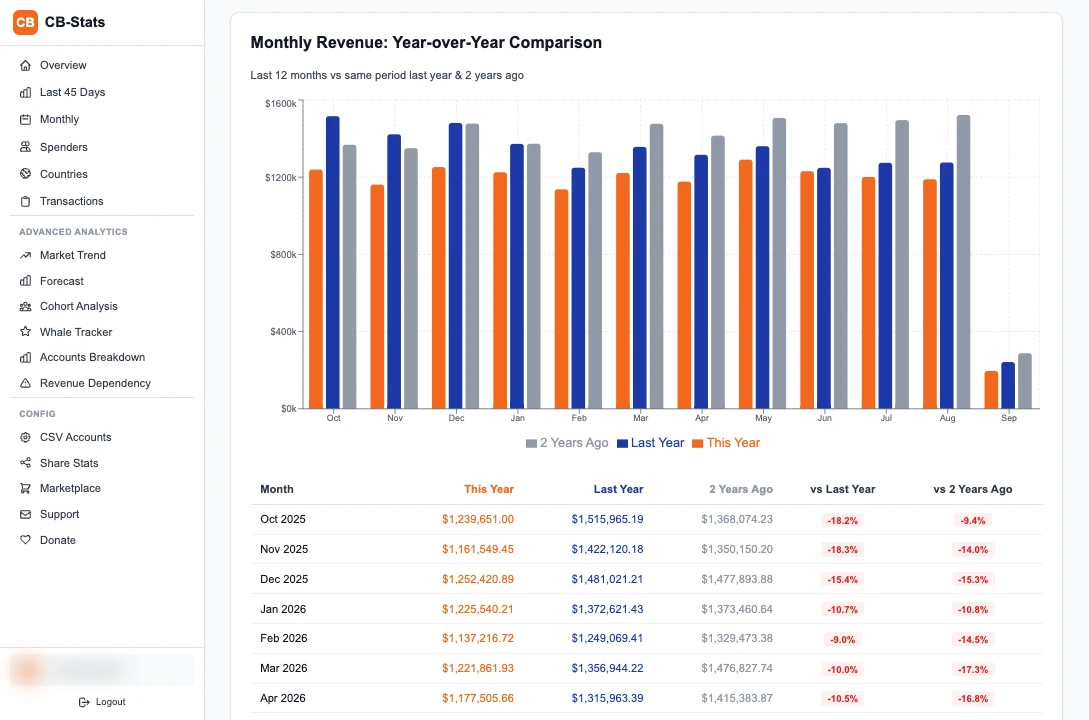
Compare rolling and year-over-year trends in the tracked-account aggregate. This reference reflects CB Stats coverage, rather than the entire industry.
Transactions & traffic sources
Follow the detail behind the total.
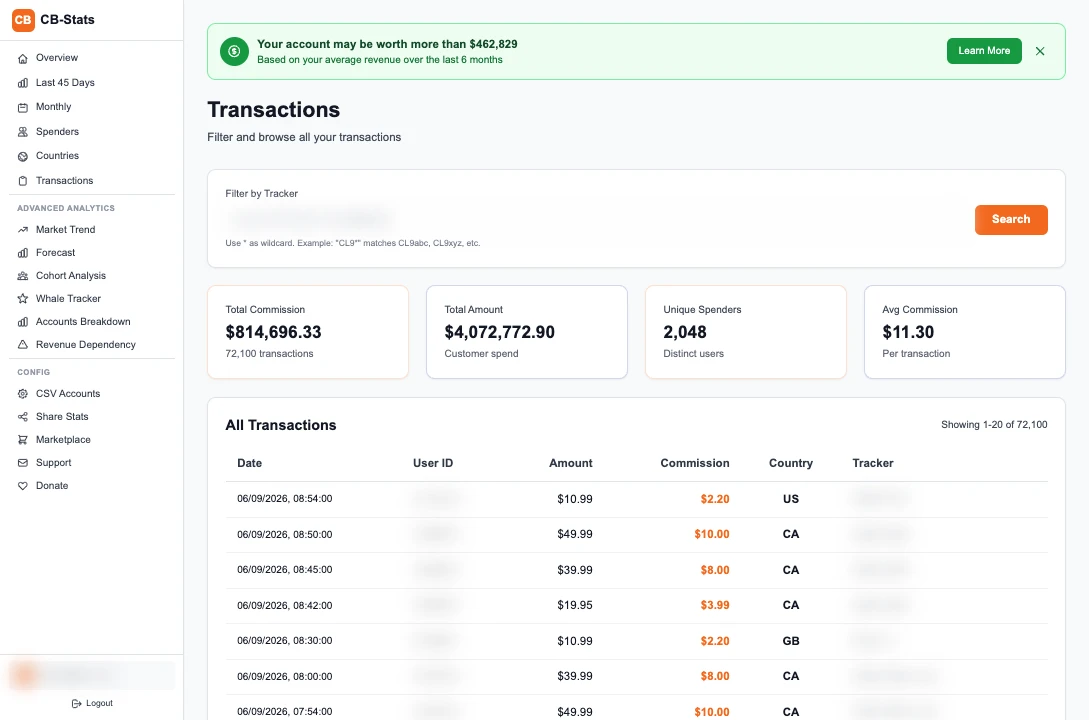
Filter transactions by tracker, including wildcard matches, and review commission, spending and unique-spender summaries for the result.
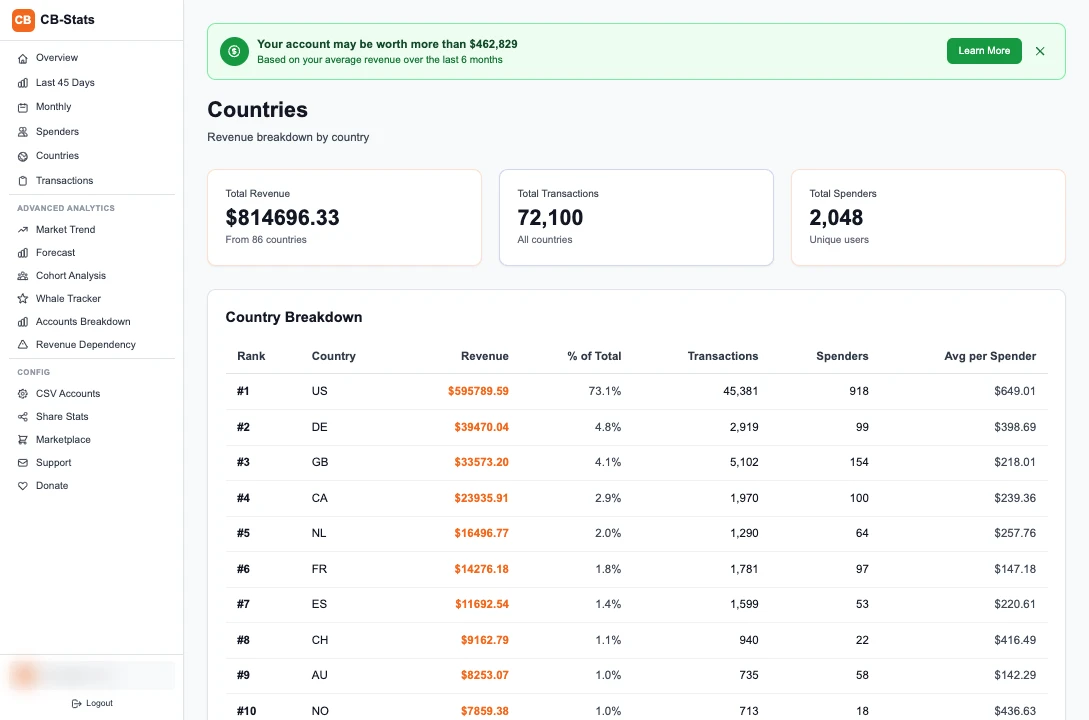
Use Countries to compare where revenue and spenders come from. When you run multiple CSV accounts, Account Breakdown shows their contribution over time.
More ways to understand your revenue
- Account Breakdown
- Compare account contributions, all-time and recent totals, plus monthly revenue across CSV accounts.
- Revenue Dependency
- See the monthly revenue split between whales, first-time buyers and returning non-whale spenders.
- Spender activity
- Move from a ranked spender list into individual transaction history and activity heatmaps.
Connected accounts & sharing
Keep your accounts together.
Choose what to share.
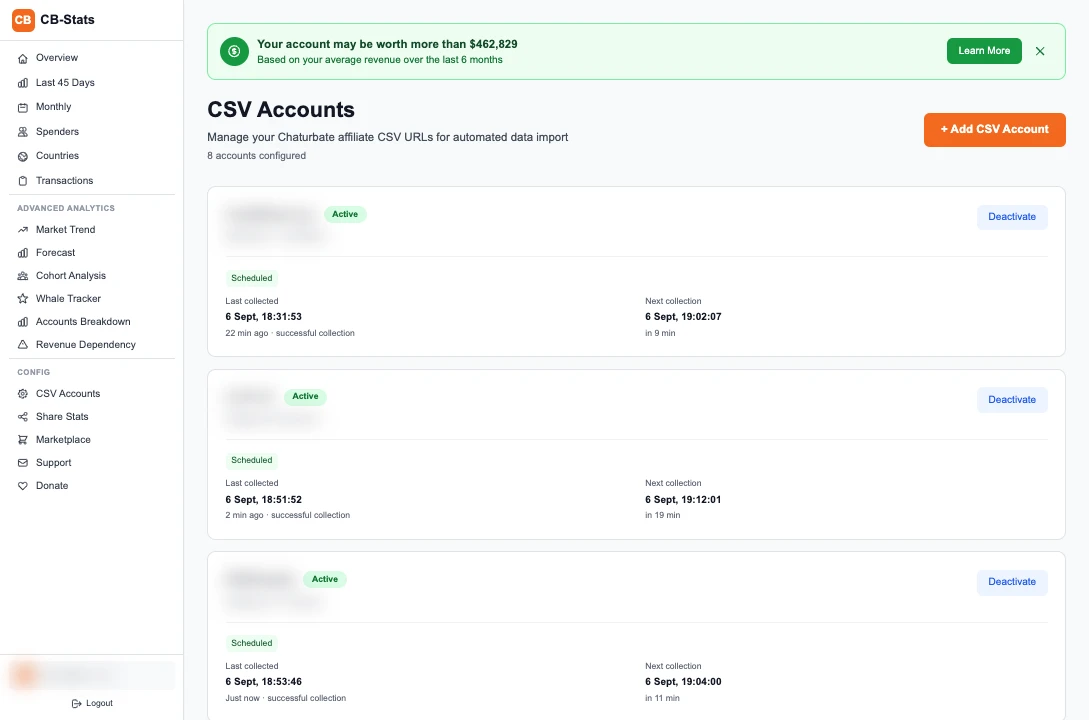
Connect your CSV feeds
Add up to 10 accounts with labels. CB Stats collects new transactions automatically, while connection status and the last and next collection times stay visible.
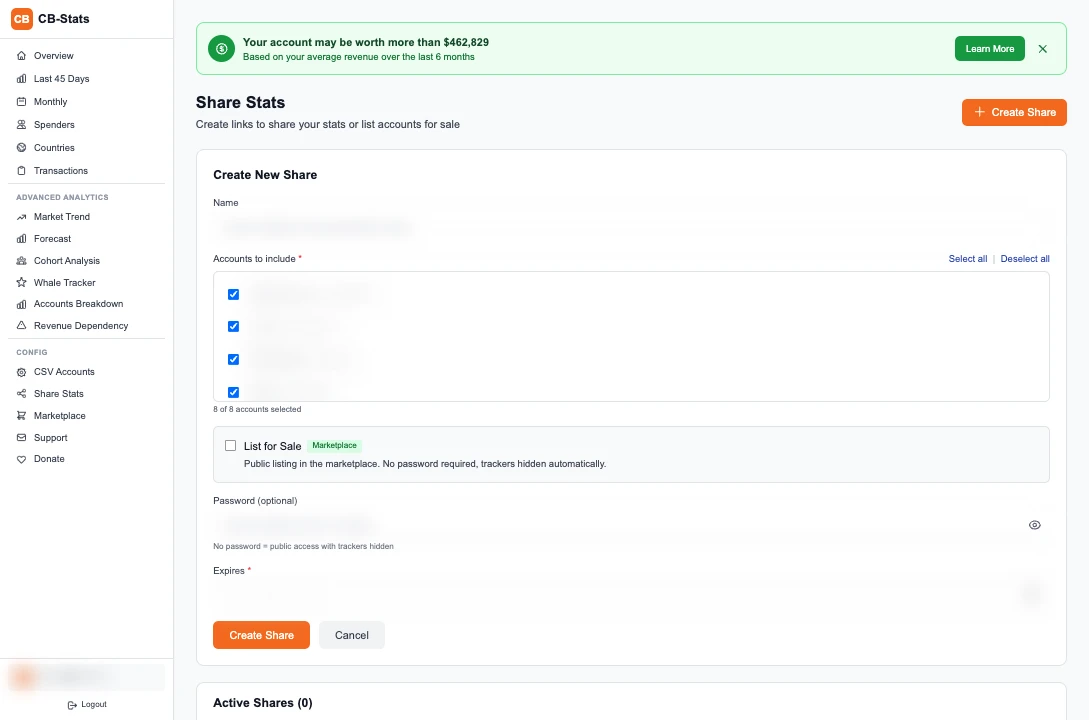
Share selected statistics
Select the accounts to include, set an expiry and revoke a share when needed.
Considering an account sale? You can choose to create a public marketplace listing from the sharing screen, with an optional asking price.
Getting started
Connect once. Build a history.
Create your free account
Sign up with your email, verify it and sign in to CB Stats.
Add your affiliate CSV
Copy the “Direct URL (No login required)” from your Chaturbate affiliate statistics. Paste it into CSV Accounts.
Follow your stats
Check the initial import and connection status. New transactions are collected automatically after that.
The initial import includes up to the latest 10,000 transactions available from your CSV feed. Your imported history is retained as new activity arrives.
No subscription.
Free Chaturbate analytics
100% Free for Everyone
All dashboard features are free, with no subscription or payment details required to create an account. Voluntary donations help support CB Stats.
Everything Included
Connect multiple CSV accounts, review your transaction history and share selected statistics.
Advanced Analytics
Explore market trends, cohort analysis, lifetime value and whale activity.
Before you connect
A few useful answers.
CB Stats is an independent tool for Chaturbate affiliates.
Who is CB Stats for?
CB Stats is an independent analytics tool for Chaturbate affiliates who want to understand the revenue and spender activity in their affiliate CSV data. It is not affiliated with Chaturbate.
Is the dashboard free?
Yes. The dashboard is free to use, with no subscription or payment details required to create an account. Voluntary donations help support CB Stats.
How do I connect my Chaturbate account?
Create a CB Stats account and verify your email. Copy the Direct URL (No login required) from your Chaturbate affiliate statistics, then add it in CSV Accounts. You can connect up to 10 CSV accounts and give each a label.
How often does my data update?
CB Stats automatically collects new transactions from your connected CSV feeds. Collection frequency varies with account activity, and processing delays can occur. CSV Accounts shows connection status and the last and next collection times.
How much history can I import?
The initial import can collect up to the latest 10,000 transactions available from your CSV feed. CB Stats retains the history it imports and adds new transactions over time; it cannot promise to recover all activity from before you connected your account.
Are revenue forecasts guaranteed?
No. Forecasts are estimates based on the available data. Use the ranges, top-spender scenarios and backtests to understand the projection and its limits.
CB Stats
Ready to Boost Your Affiliate Revenue?
Connect your Chaturbate affiliate CSV and use the dashboard to make sense of your revenue, spenders and retention.